Midjourney Mastery – Hacking Visual Content Creation [Video Course] Download

About Course
Full Course Content & Details !
 Hacking Midjourney.
You’re Midjourney game is soft…it’s ok.
You don’t have 436 hours to figure this tool out…
Sooo…I spent (16) months testing, studying, creating, and failing with this tool.
To bring you…
(90) extremely thorough step-by-step lessons.
So you can become a Midjourney Pro…in less than 7 hours.
Who’s this for?
- Beginners: You just started and you’re overwhelmed.
- Light Users: You use Midjourney, but not getting the results.
- Intermediate’ish: Your stuff is ok, but you want to go deeper.
- Technician: You’re good, but you want to be more efficient.
- Pro’ish: You use MJ at work, but need better workflows.
- Daily User: You want to nerd out, and have fun in the process.
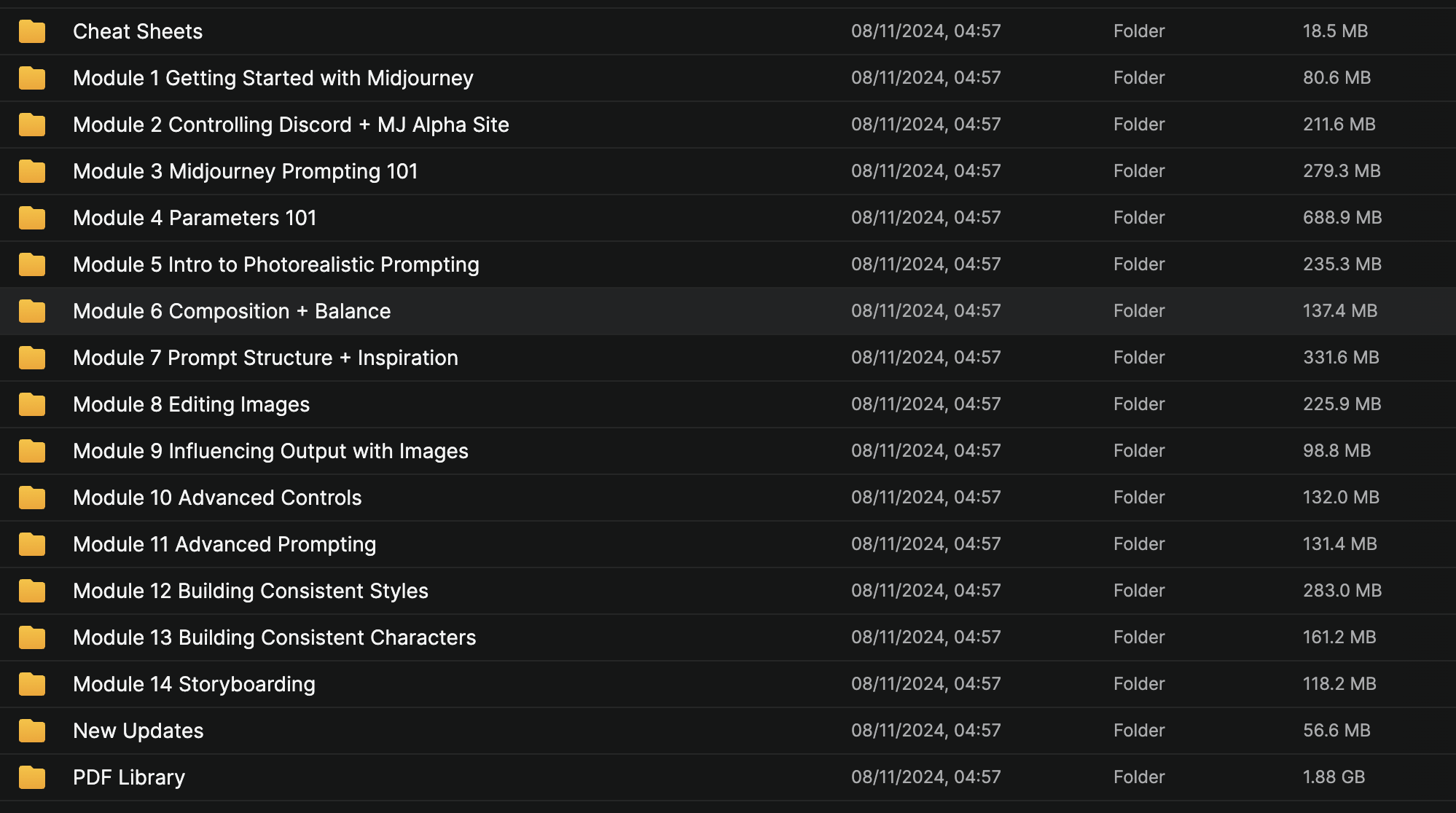
What It Includes…
- (90) Video Tutorials: Insanely digestible lessons so you can fully understand the tool and concepts.
- Training Library: (34) PDF Guides that have generated 17,000,000+ impressions on Linkedin.
- (5) MJ Cheat Sheets: To keep important information all-in-one place.
- Monthly Updates: So you stay fresh on the tool, what’s new, and what’s hot.
Course Content:
Module 1: Getting Started with Midjourney.
Module 2: Controlling Discord + Alpha Site.
Module 3: Midjourney Prompting 101.
Module 4: Parameters 101.
Module 5: Intro to Photorealistic Prompting.
Module 6: Composition + Balance.
Module 7: Prompt Structure + Inspiration.
Module 8: Editing Images.
Module 9: Influence Output with Images.
Module 10: Advanced Controls.
Module 11: Advanced Prompting.
Module 12: Building Consistent Styles.
Module 13: SREF Random + Style Codes.
Module 14: Building Consistent Characters
Module 15: Multiple Consistent Characters
Module 16: Storyboarding.
Course Content
Get Full Course Package
-
Download All Course Materials
Module 1 (25 minutes)
Module 2 (35 minutes)
Module 3 (45 minutes)
Module 4 (50 minutes)
Module 5 (40 minutes)
Module 6 (55 minutes)
Module 7 (60 minutes)
Module 8 (50 minutes)
Module 9 (35 minutes)
Bonus Module (30 minutes)
Student Ratings & Reviews