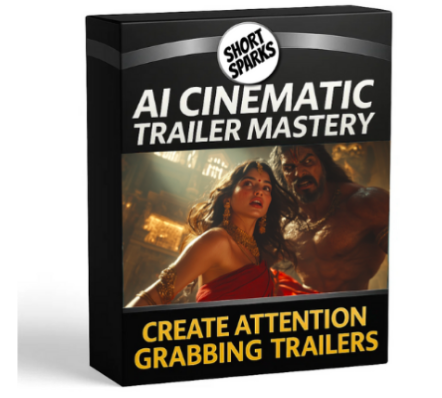
Description
Detailed Curriculum: AI Cinematic Trailer Masterclass
This type of course typically provides an end-to-end workflow for creating professional-quality, cinematic movie trailers and short films using a stack of Artificial Intelligence tools.
Module 1: Foundations and Scripting
- Introduction to AI Filmmaking: Overview of the AI tools used in the course and the complete workflow (Idea to Final Export).
- Cinematic Story Development:
- Using ChatGPT or other AI assistants for generating story ideas, concepts, and cinematic themes.
- Crafting compelling narratives for a short trailer format (30-90 seconds).
- Scriptwriting & Prompt Engineering:
- Generating a detailed script, shot list, and scene breakdowns.
- Translating script details into highly effective, cinematic visual prompts for image and video AI generators.
- Techniques for prompt consistency and mood.
Module 2: Visual Generation (Images & Characters)
- Choosing an AI Image Generator: Comparison and selection of tools (e.g., Leonardo AI, Midjourney, Freepik AI).
- Creating Key Reference Images: Generating the main characters, settings, and key visual moments.
- Mastering Consistent Characters: Advanced techniques for maintaining the same character appearance across different scenes and prompts, which is critical for storytelling.
- Composition and Lighting: Using prompt techniques to control cinematic elements like camera angles, lens choice, and professional lighting (e.g., dramatic, high-contrast, moody).
Module 3: Bringing it to Life (Video Animation)
- Image-to-Video Transformation: Using AI video generators (e.g., Kling AI, Luma Dream Machine/Labs, Runway ML) to add motion to your static images.
- Text-to-Video Generation: Creating scene elements and effects directly from text prompts.
- Camera Movement Control: Prompting for cinematic camera movements (e.g., dollys, zooms, crane shots) to add production value.
- Ensuring Visual Continuity: Strategies to maintain coherence and reduce visual ‘flicker’ between generated video clips.
Module 4: Sound Design & Dialogue
- Professional Voiceover Generation: Using advanced Text-to-Speech tools (ElevenLabs) to create realistic, emotional, and high-quality narrator or character voices.
- Voice Editing and Enhancement: Cleaning up the AI voiceovers using audio editors (e.g., Lexis Audio Editor or Audacity) to achieve a polished, broadcast-ready sound.
- Sourcing Cinematic Music: Finding and licensing royalty-free cinematic music tracks to set the mood.
- Cinematic Sound Effects (SFX): Integrating AI-generated or stock sound effects to enhance impact (e.g., explosions, whooshes, ambience).
Module 5: Post-Production & Final Polish
- Non-Linear Video Editing: Introduction to the chosen video editor (CapCut or DaVinci Resolve) for trailer assembly.
- Pacing and Montage: Editing the clips together with cinematic pacing and rhythm, focusing on trailer conventions like the “build-up” and the “money shot.”
- Color Correction and Grading: Applying a final cinematic look and feel to all clips for visual unity and mood.
- Adding Graphics and Text: Creating title cards, subtitles, and end-screen text.
- Exporting and Finalizing: Optimizing the video for high-quality export to platforms like YouTube or social media.
Final Project
- The goal is typically a hands-on project where you apply the entire workflow to create your own 30-60 second AI-generated cinematic short film or movie trailer.
Tools Commonly Covered (and mentioned in the search results):
- Script/Idea: ChatGPT
- Image Generation: Leonardo AI, Midjourney, Freepik AI
- Video Generation: Kling AI, Luma Dream Machine/Labs, Runway ML
- Voiceover: ElevenLabs
- Editing: CapCut, DaVinci Resolve
- Audio Enhancement: Lexis Audio Editor



Reviews
There are no reviews yet.